First launch
The first time ShotWork opens, Set up ShotWork offers to fetch what it needs, and then the window opens with a rights notice over it. Read the notice before you mark anything.
The components
On Windows, libmpv, which plays video in the viewer, comes with the installer, so there is nothing to download and nothing to agree to. On macOS it is fetched before the window first opens, and ShotWork cannot run without it.
ffmpeg, which reads and exports video, is offered on both, in Set up ShotWork. Its steps are Welcome, What to install, Downloading and Ready, and everything turned on is fetched in one pass. The downbeat engine is listed there too, off to start with. Choose Skip and ShotWork asks again for each component the first time you need it. Nothing is fetched until you choose Download or Continue. See The components for the dialog and where the files end up.
The rights notice
ShotWork opens the About ShotWork panel by itself the first time it runs, on its About tab. Read the Content rights section:
ShotWork does not verify rights or clearances for any footage you import or export. By using this application, you confirm that you hold the necessary rights and clearances for any footage you import into or export from it. This is entirely your responsibility.
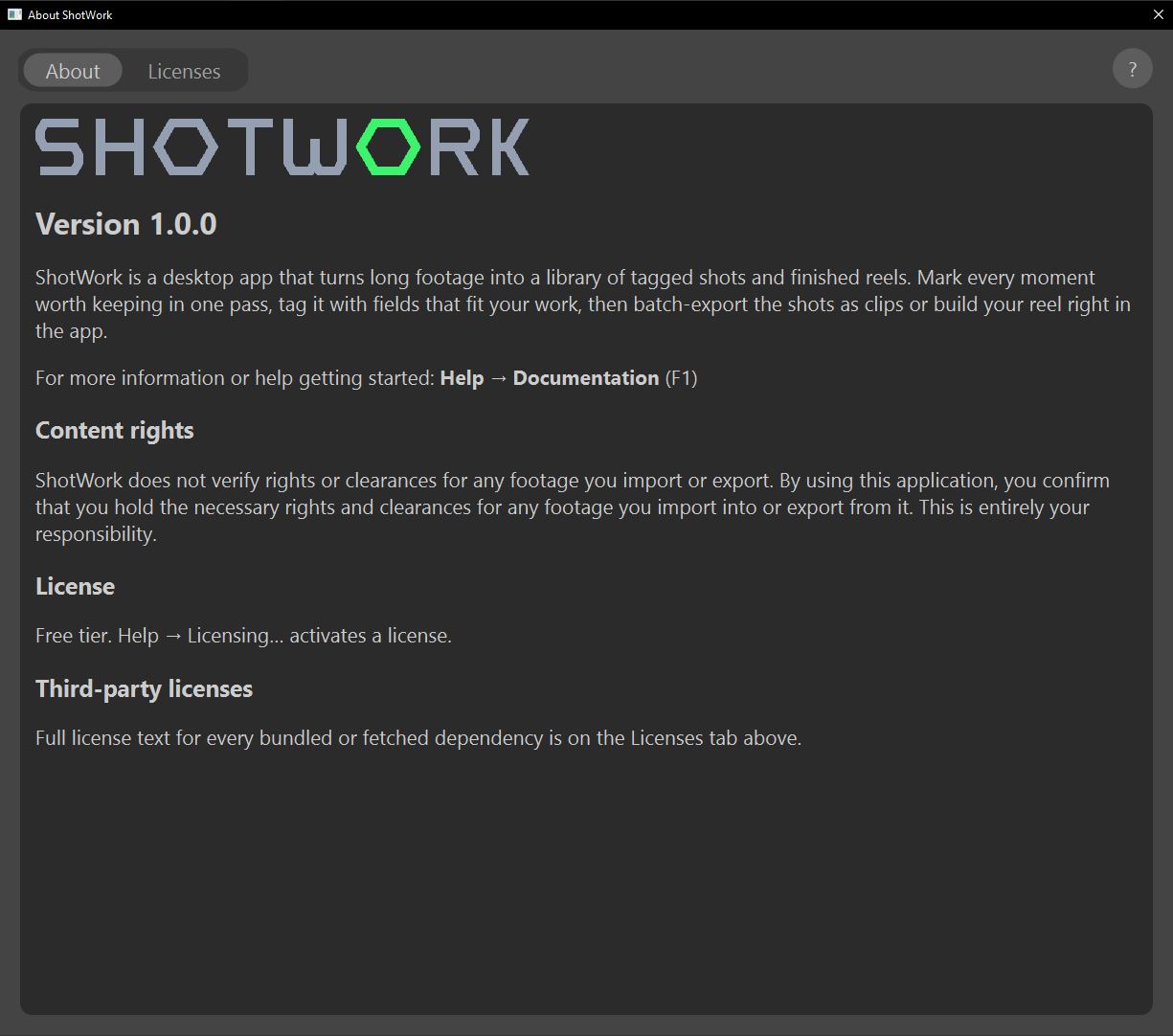
Below the notice, a License section names the tier this copy runs as: the free tier until you enter a license. See The free tier and your license.
Close the panel to continue. It opens by itself only on the first launch, and you can reopen it at any time from Help › About ShotWork….
How ShotWork knows it has run before
On the first launch, ShotWork leaves an empty file named
first_run_complete in its app data folder. While that file is there,
the panel does not open by itself; delete it and the notice opens again
on the next launch. The notice comes before any offer to recover unsaved
work, so the two never open at once.
The Help menu
| Item | Does |
|---|---|
| Documentation (F1) | Opens this site in your browser. |
| Report a Problem… | Writes a problem report you read in full before sending. See Report a problem. |
| Open Log Folder | Opens the folder ShotWork's own log is written to. See The log. |
| Licensing… | Which tier this copy runs as, and where a license goes in or comes out. See The free tier and your license. |
| About ShotWork… | Opens the panel: what ShotWork is and its version, the content rights notice, which tier it runs as, and a Licenses tab. |
The panel's Licenses tab lists every third-party component ShotWork includes or fetches on the left, and the selected component's full license text on the right. Drag the divider between them to make the text wider.
Related
- Install ShotWork if it is not running yet.
- Documents and tabs for how shot selects and reels open and save.
- Marking shots names the regions you are about to work in, then puts them to use.
- Content rights and Licenses for the notice and the software ShotWork is built on.