Downbeat engine
ShotWork finds the beats in every song on its own. To find real downbeats, the first beat of each bar, it needs the downbeat engine: an optional download that runs a model trained for that. Once it is installed, every new song's beat lane marks its downbeats, and edges snap to them.
Before you start
- An internet connection.
- About 325 to 425 MB of free disk space.
Install it
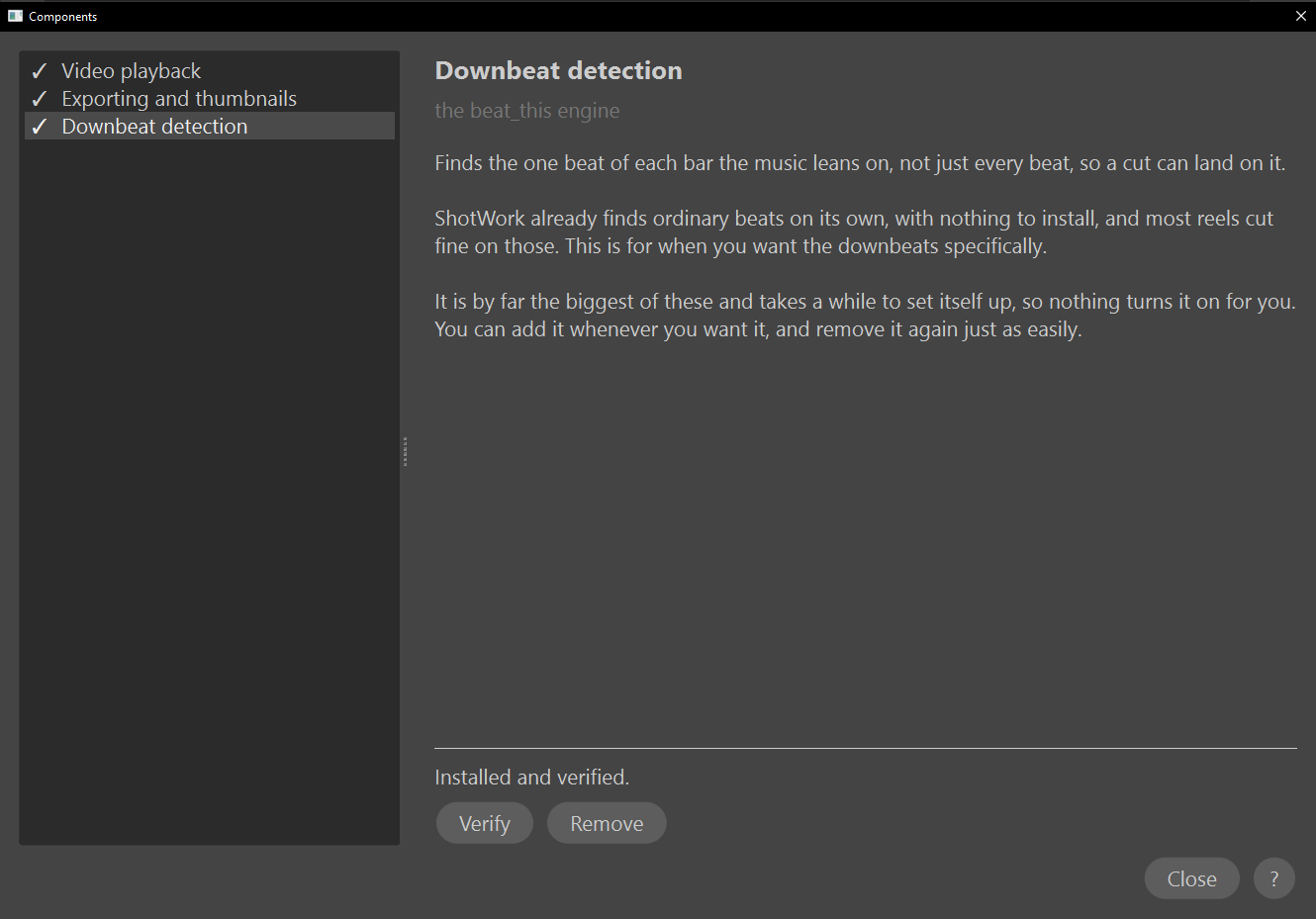
The engine is Downbeat detection in Settings › Components…, alongside Video playback and Exporting and thumbnails. Settings › Downbeat Engine… opens the same Components window on it.
- Choose Settings › Downbeat Engine….
- Choose Download. The status line shows each step, and the bar keeps moving until the download is done.
- Wait for the short test analysis the download ends with. When the status reads "Installed and verified.", choose Close.
Turning on Downbeats for a song opens this window too, when the engine is not installed. Close it without downloading and the box turns itself off again.
What happens
- Songs you add from now on start with Downbeats on. On a song already on a reel, turn Downbeats on to analyze it again with the engine.
- The engine goes into its own folder,
beat_this_engine, in ShotWork's app data, together with the PyTorch it runs on, and its own copy of Python, about 25 MB, in apythonfolder beside it. The engine is a Python program and needs one to run; ShotWork uses it for nothing else, and never touches any Python you already have installed. - Nothing outside those two folders is touched, and removing the engine removes both.
- It runs in a process of its own, never inside ShotWork.
Check that it still works
Choose Verify. It runs the short test analysis again. The status reads "Installed and verified." when it passes, or "Verify failed. See the details below." with the error in a box underneath.
Remove it
- Choose Remove.
- Choose Yes to confirm.
The whole engine folder is deleted. Choose Download to install it again at any time.
If something goes wrong
- The download fails. The status reads "Failed. See the details below.", the error appears in a box underneath, and the partial download is removed, so nothing half-installed is left behind. Choose Download to try again. If it keeps failing, copy the text in the box: it is the exact error.
- You close the window during a download. The download is canceled and removed.
- One song shows beats only. The engine could not place that song's downbeats, and its Downbeats switch says so. See Downbeats unavailable.
What the engine is
The engine is beat_this, an open-source model under the MIT license, run on the CPU-only build of PyTorch (BSD-3-Clause license). beat_this has an optional post-processing step that depends on models licensed for non-commercial use only, and ShotWork never runs it. Full license texts are on the Licenses tab of Help › About ShotWork….
Related
- Beats and downbeats for what downbeats change on the timeline.
- Where ShotWork keeps its files.